IT for a small company that sells to the US
A new company needs a surprising amount of plumbing before it can operate: a domain, business email, file storage, a website host, logins for every tool, and a way to recover if something is deleted or hacked. Most founders set these up one at a time, with personal accounts, and later find that the company does not actually control its own systems.
This service sets up that plumbing properly from the start, in the company's name, and looks after it as you grow.
Who this is for
- New US LLCs and C-Corps that need email, domains and hosting set up correctly.
- Small teams spread across countries who share files and accounts.
- Founders who handled IT themselves and now want someone else to own it.
- Companies preparing for a customer security questionnaire or an ISO 27001 project.
What BookMyLLC handles
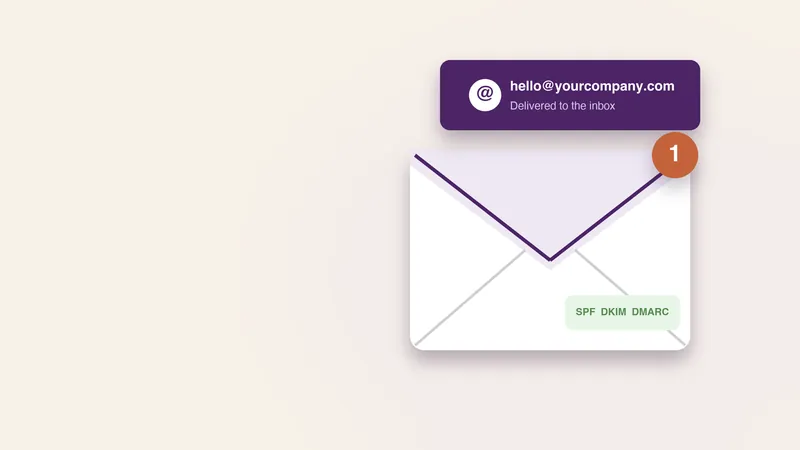
- Domains and DNS: registration in the company's name, DNS records, and email authentication (SPF, DKIM and DMARC) so your mail reaches inboxes.
- Business email and productivity: Google Workspace or Microsoft 365 setup, user accounts, shared inboxes and calendars.
- Cloud hosting: hosting and deployment for websites and apps on mainstream cloud platforms.
- Security basics: multi-factor authentication, a password manager, admin account separation and device settings.
- Backup and recovery: backups for email, files and databases, with a tested restore.
- Migration: moving existing email, files or sites from personal or older accounts.
- Support: help with account issues, access changes and incidents, within agreed support hours.
How we work
- Inventory. We list every domain, account and tool your business uses and who controls it.
- Plan. You get a short written plan: what to set up, what to move and in what order.
- Set up. Accounts are created or moved into company ownership, with admin access for you.
- Secure. Multi-factor authentication, backups and email authentication are switched on and checked.
- Hand over. You receive a record of what was set up, where, and how to get back in if you lose access.
- Ongoing care, if you choose it: changes, new staff, off-boarding and incident help.
What you need to provide
- Your company's legal name and the domain you want to use.
- Admin access to any existing accounts to be moved.
- A list of people who need accounts, and their roles.
- Any customer or compliance requirements you already know about.
Timeline
Email, domain and security basics for a small team are typically set up within a week once we have access. Migrations of large mailboxes or websites take longer and are scheduled to avoid downtime.
Common mistakes to avoid
- Registering the domain in an employee's or freelancer's personal account. If they leave, the company can lose its own website and email.
- Skipping email authentication. Without SPF, DKIM and DMARC, your invoices and replies land in spam.
- One shared admin login. Everyone knows the password, and nobody knows who changed what.
- Backups that have never been restored. A backup is only proven when you have restored from it.
- No off-boarding. Former contractors often keep access for months.
Security basics we put in place
Small companies are targeted because attackers expect weak defences, not because they hold valuable secrets. A compromised email account is enough to send fake invoices to your customers or redirect a payment. These are the controls we set up for every client, because they stop most real incidents.
- Multi-factor authentication on every account, starting with email, domain registrar, bank and cloud hosting. Authenticator apps or security keys are preferred over SMS codes.
- A company password manager, so passwords are unique, shared safely and removed when someone leaves.
- Separate admin accounts, used only for administration, so a phishing email opened in a normal account cannot change company-wide settings.
- Email protection: SPF, DKIM and DMARC records, plus warnings on messages from outside the company.
- Device basics: disk encryption, screen locks and automatic updates on laptops and phones that access company data.
- Backups kept separate from the systems they protect, so ransomware or an accidental deletion cannot remove both.
We also write a one-page incident plan: who to call, which accounts to lock first, and how to tell customers if something goes wrong. It is short on purpose, so people actually read it before they need it.
None of this requires expensive software. The US Cybersecurity and Infrastructure Security Agency recommends multi-factor authentication and regular updates as the first steps for any organisation, and these cover a large share of common attacks.
Related services
If you need a site, see website development or custom software. Planning a formal security programme? Start with ISO 27001. For a one-off review of your setup, try an IT business consultation. See current pricing.
IT services at a glance
| Area | What we set up |
|---|---|
| Email and domains | Business email on your own domain, with correct DNS records |
| Cloud and hosting | Website and app hosting, with backups |
| Security | Account protection, multi-factor sign-in and device basics |
| Support | Help when something breaks |
Security basics we put in place
| Control | Why it matters |
|---|---|
| Multi-factor authentication | Stops most account takeovers |
| Password manager | Unique passwords without the risk of reuse |
| Backups | Lets you recover from mistakes or attacks |
| Device updates | Closes known holes |
| Access reviews | Removes access when people leave |
None of these is expensive, and together they prevent the most common problems small companies face.
Who it suits
- Small teams selling to US customers who need reliable email and storage.
- Founders who do not want to be their own IT department.
- Companies preparing for a security questionnaire from a client.
- Teams moving off personal accounts to company ones.
For a one-off review before you commit, try an IT business consultation.
How we work with you
We start with an inventory of the accounts, domains and devices your company already uses, because most problems come from things nobody remembers setting up. Then we put an owner on every account, switch on multi-factor sign-in and move critical data to proper company accounts. The aim is that if one person leaves or one laptop is lost, the company keeps running.
After set-up you can ask us for help when something breaks or when you hire someone new. Offboarding is as important as onboarding: we remove access on the day someone leaves.
What a small company should always have
- Business email on your own domain, not a personal address.
- Company-owned accounts for domain, hosting and key tools.
- Backups tested at least once.
- A list of who has access to what.
Security questionnaires from larger customers ask about all of these, so having them in place also makes it easier to win bigger clients.
Typical service levels
| Request | Usual response |
|---|---|
| New staff account | Within a working day |
| Locked out or lost access | As soon as identity is confirmed |
| Software or device problem | Same or next working day |
| Larger change, such as a migration | Scheduled with you to avoid downtime |